

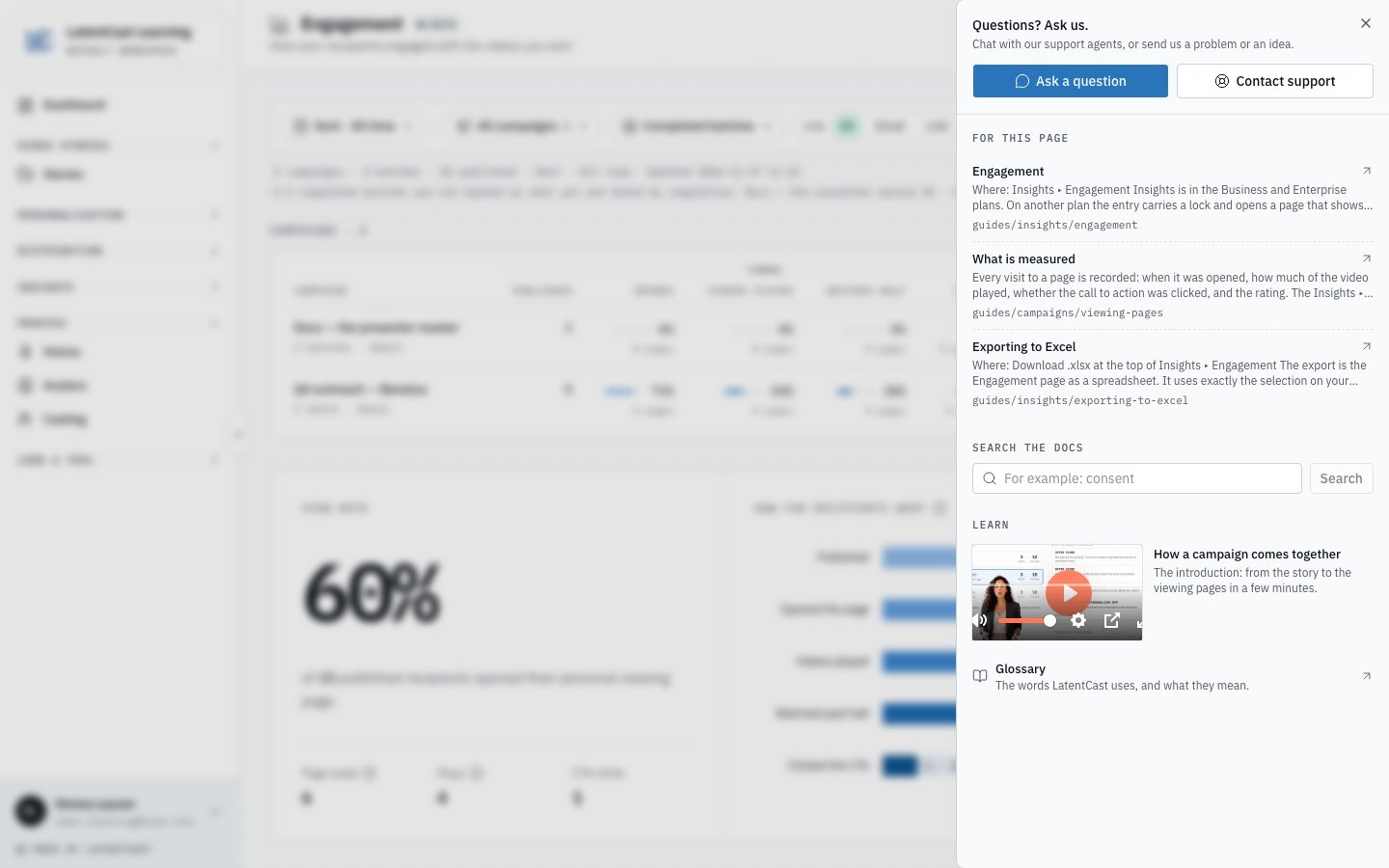
The Help panel on Engagement: Ask a question and Contact support at the top, then the docs for this screen, the search and the introduction.
What the panel holds
- Ask a question opens a chat with Castor, our AI agent. More below.
- Contact support sends our team a problem, a question or an idea. More below.
- For this page lists up to three docs pages about the screen you are on.
- Search the docs finds the pages for any word: type it and press Search.
- Learn has How a campaign comes together, the introduction video, and the Glossary.
Asking Castor
Castor is LatentCast’s AI agent. It answers questions about LatentCast from these docs, and ends an answer with Read more and the page the answer comes from.- It answers in your language. Names of buttons, screens and LatentCast terms stay in English, as the app shows them.
- It asks before it guesses. When your question can mean two things, it asks one short question first.
- It says what it does not know. When the docs do not cover your question, Castor says so and offers to bring in someone from our team.
- Some questions always go to a person: invoices, payments, contracts, changes of plan, and deleting or exporting personal data.
- It never asks for a password. If you send one by mistake, it tells you to change it.
Castor is not the . The Tuning Chat changes a Video Story
for you; Castor answers questions about LatentCast and changes nothing in your work.
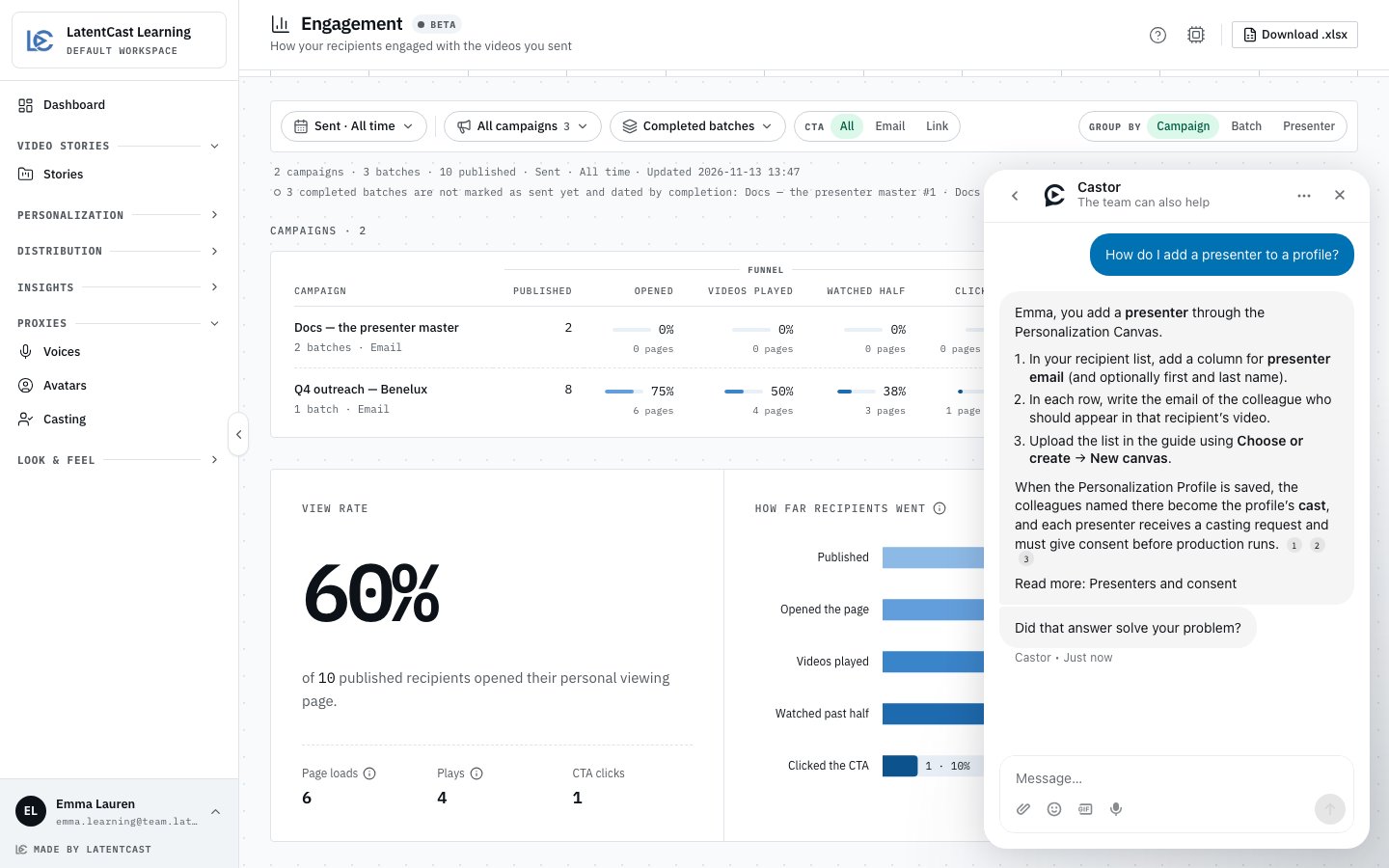
Castor answers from the docs and ends with Read more and the page it used.
Contacting support
Use Contact support when something does not work, or when you would rather write to our team than chat. The request reaches us with what you saw.- What is it about? Choose Problem, Question or Idea.
- Title: one line that names the screen and what happened. “The export stops at 50%” tells us more than “Export broken”.
- Description: if you want, what you did and what you expected.
- Screenshot: LatentCast takes one of the page you were on as the dialog opens. Only our team sees it, and it is deleted after 90 days. Videos, and some images, are left out. Press Remove to send none.
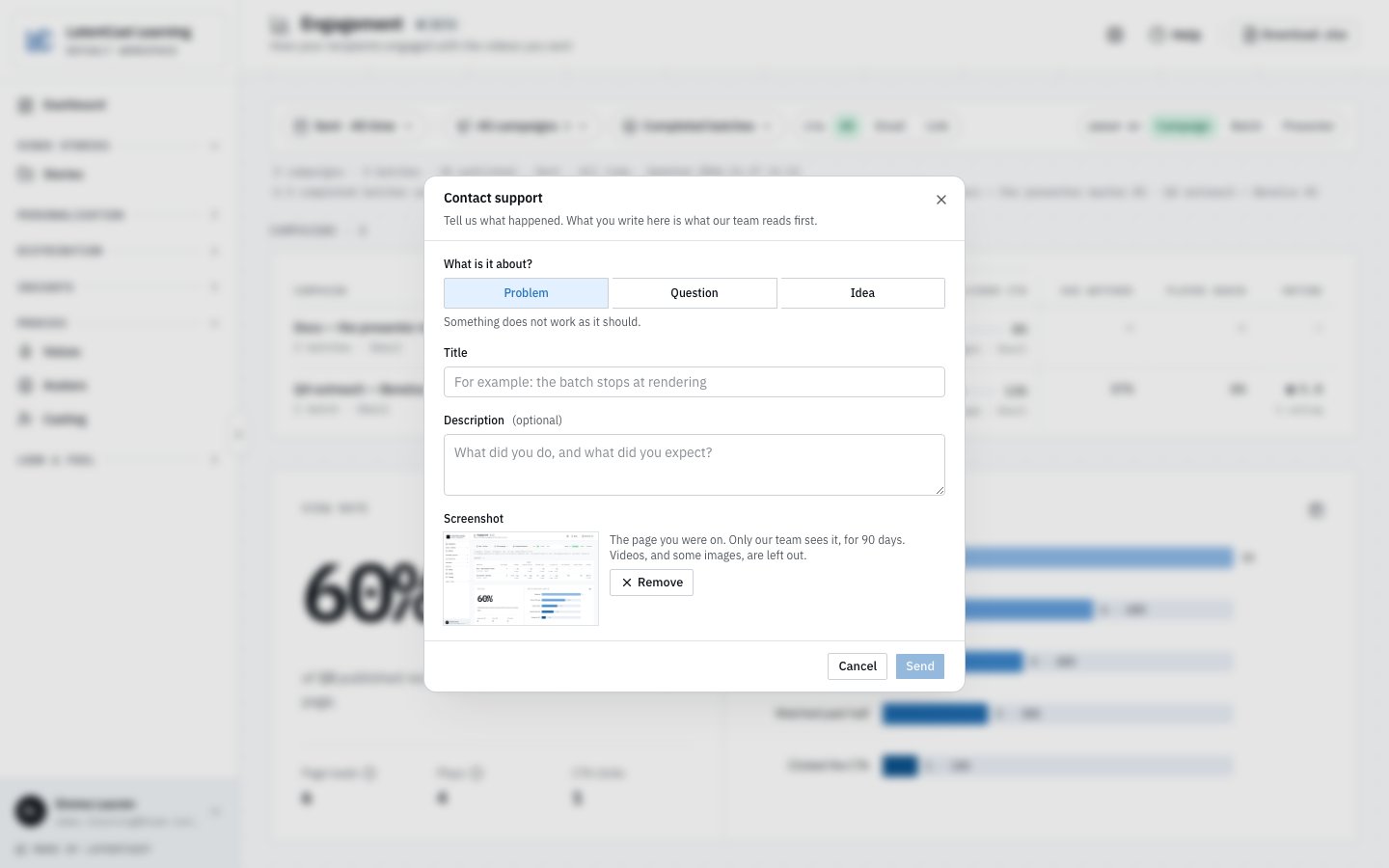
Contact support: what it is about, a title, and the screenshot of the page you were on, with Remove.
Do
1
Open the Help panel
Press Help at the top right of the page you have a question about.
2
Ask Castor
Press Ask a question, type your question and send it. Say what you are trying to do and
where: “How do I add a second presenter to this profile?” gets a better answer than
“presenters?”.
3
Ask for a person when you want one
Write that you want to talk to someone from the team. Castor passes the conversation on, and
their reply comes in the same chat, in LatentCast.
4
Or contact support
Press Contact support, choose what it is about, give it a title and press Send. Our reply
comes in the chat, under Messages.
Next
Glossary
Every term, in the order you meet it.
How LatentCast works
The whole journey in one picture.
Tuning by chat
Changing a Video Story by asking for it.