

What a dictionary holds
A dictionary is a named list of rules. A rule is a term as it is written in the script, and a : how it should be spoken. You can have several dictionaries, and enable or disable each one. Split them the way you think: one for your products, one per market, one for a customer list.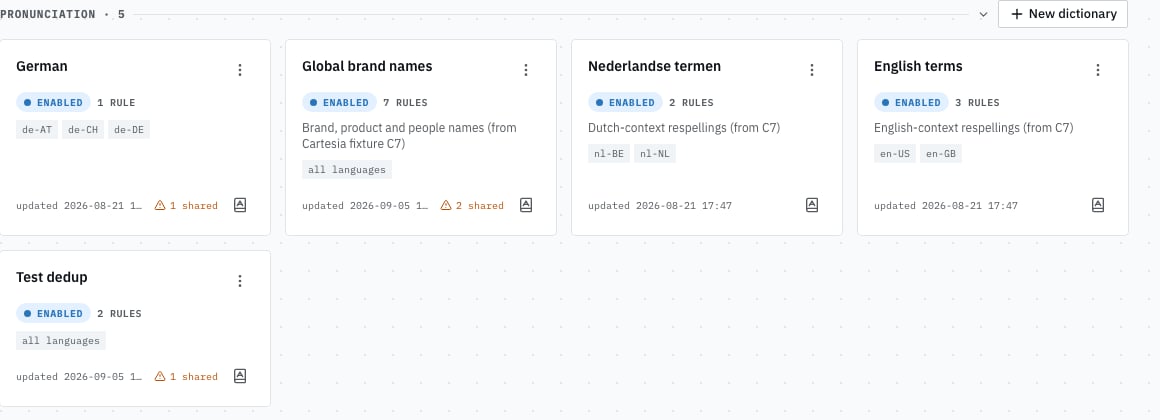
Your dictionaries: each shows whether it is enabled, how many rules it holds, which languages it covers, and whether it shares terms with another.
Writing a say-as
Two notations, and the first is usually enough. A respelling is the word written the way it sounds, in ordinary letters, read in the dictionary’s language. Write what you would tell a colleague over the phone.
A phonetic spelling is exact, and unambiguous, in the standard phonetic alphabet. Use it when a
respelling keeps coming out slightly wrong. Write it between double angle brackets, and the editor
tidies the formatting for you.
Start with a respelling and listen. Reach for phonetics only when your ear says the respelling is
not landing. Most terms never need it.
Listening
The point of the editor is that you can hear the result before anyone else does. Each rule has play buttons, one per speech engine your organization uses, and a menu for the other languages you cover. Type the customer’s name, press play, and judge with your ears. That loop takes seconds and is the only reliable way to get this right.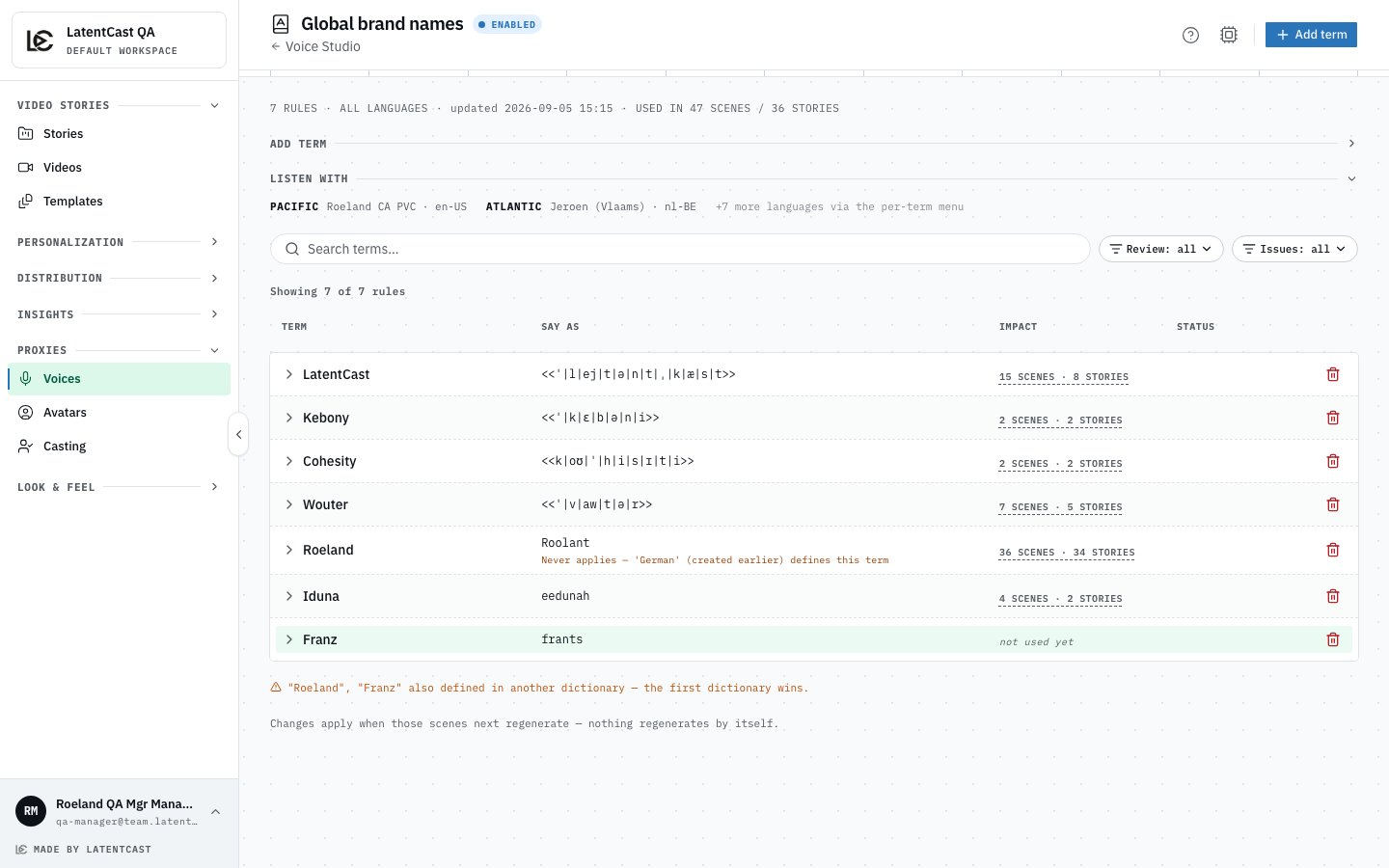
A dictionary's rules: the term, how it should be said, how many scenes and stories use it, and any warning attached to it.
Engines say things differently
Your organization may use more than one speech engine, and they do not respond identically to the same instruction. Each rule can therefore be set per engine:
Set the rule once, listen on each engine, and only add an override where you actually hear a problem.
Knowing what a rule affects
Each rule shows how many scenes and stories currently contain that term. Before changing a widely used rule, that number tells you how much you are about to change.When two rules collide
If two enabled dictionaries define the same term, one of them wins and the other is marked as shadowed, with a note telling you so. The same happens for two spellings of one word that differ only in capitalisation. That is why the warning matters: without it you would edit a rule, hear no change, and conclude the feature was broken.Fixing a rule does not fix videos already made
Get your dictionaries in order before a campaign rather than after it.Next
Reviewing flagged terms
What the assistant flags, and how to work through it.
Building a dictionary from your list
Generate rules from a recipient list in one pass.