

How it goes
1
The batch pauses and waits
Every person is personalized up to their script, and then the batch parks. It waits indefinitely,
and the card’s main action becomes Review narratives.
2
Read every script
One card per person, with the personal parts in editable boxes: the opening, the optional context
scene, and the closing. The core story between them is signed off and is not editable here, which
is the point.
3
Edit what needs editing
Type straight into a box and it saves as you go. Undo puts back the original wording.
Regenerate writes that person’s script again when you would rather have a fresh take than
hand-edit. View target info shows the data the text was written from, so you can check a claim
against its source without leaving the page.
4
Approve and continue
Releasing the batch lets voicing, animation, rendering and assets run for everybody.
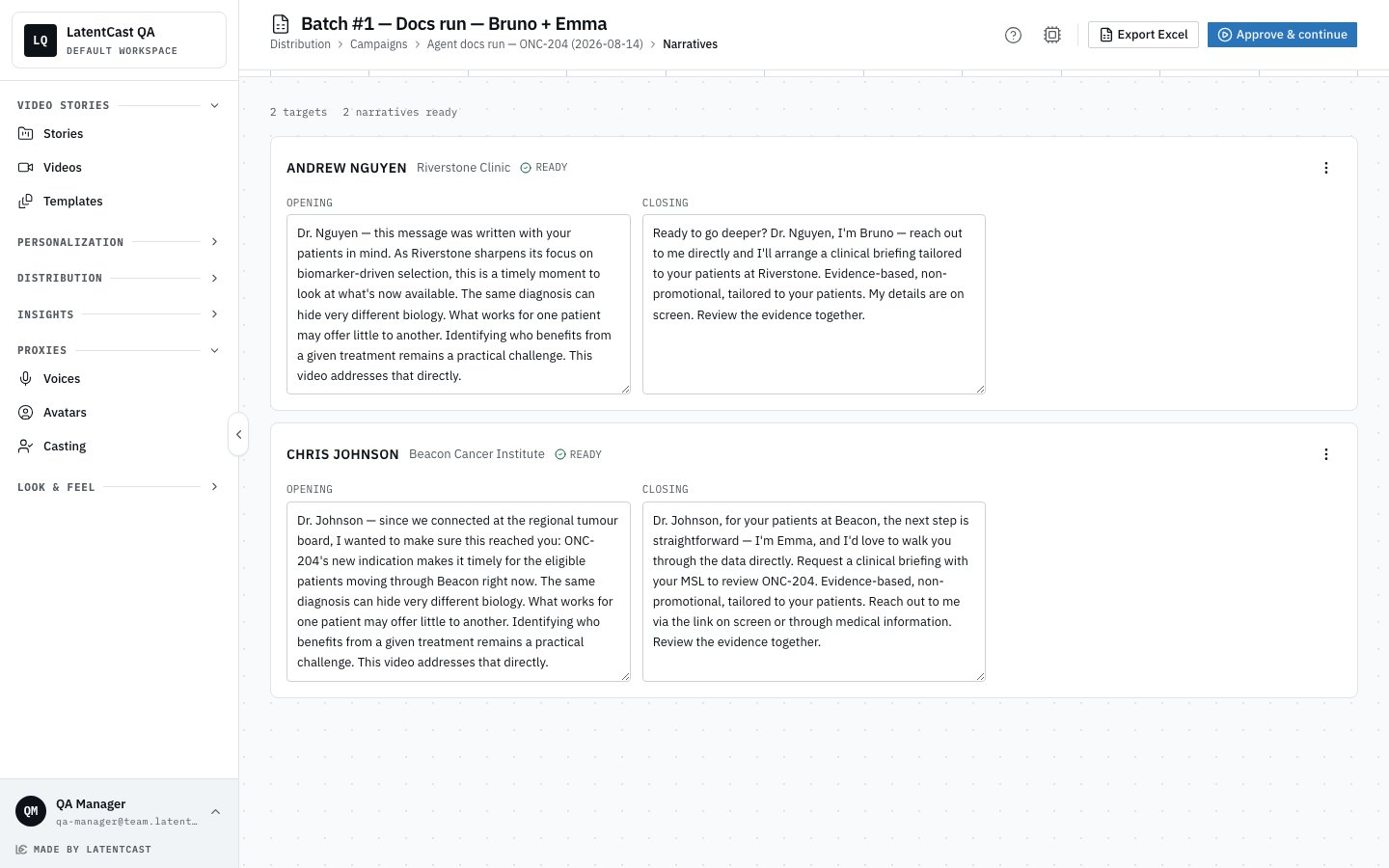
The review page: one card per recipient, with the personal parts editable and the core story fixed between them.
What you approve is what gets spoken. Your edits are voiced exactly as written. The system does
not regenerate the script behind you after you approve.
Reading a batch of scripts well
A batch of scripts is a lot of similar text, and it is easy to skim. Four things repay attention:- Anything asserted about the person that you cannot find in their row. This is the single most important catch, and this page is the last place to make it cheaply.
- Sameness. If every opening has the same shape, the batch will read as automated to anyone who compares notes with a colleague.
- Tone against the relationship. Warm familiarity to a cold contact reads worse than a neutral greeting.
- The thin rows. Someone with sparse data gets a shorter, plainer opening. Check that it still stands on its own rather than sounding truncated.
Reviewing outside the product
Export Excel downloads this batch’s scripts, for a review pass with someone who is not a LatentCast user. Edits still have to be made in the product before you approve.Afterwards
The review page stays available after approval as a read-only record of what was said to whom, which is useful when someone asks months later.Next
The manifest and sending
What a finished batch hands you.
Campaigns and batches
The run itself, and its controls.