

Why it is built this way
Because a story is data, one story can become a thousand different videos. When you personalize, the system does not edit a film. It takes your story, swaps in the parts that differ for one person, and only then makes a video for them. That is why a personal video costs so little more than a generic one, and why you can change your mind about the script the day before you send. It also means that everything you do to a story is reversible until you render.Sign-off: the moment a story stops moving
While you are working, a story changes whenever you touch it. That is fine for you, and impossible for anything downstream. If a campaign is producing five hundred videos over an afternoon and someone edits the story halfway through, the first two hundred recipients get a different message from the rest. So a story has to be signed off before it can be personalized. freezes exactly what you have as a numbered version. That version never changes again.1
Finish the story
Everything you would normally do happens before sign-off, not after: tuning the script, fixing
backgrounds, checking the presenter.
2
Press Sign off
The button sits above the preview. Give the version a short label you would recognise later,
such as “shorter intro, October”.
3
It becomes Version 1
The story is frozen. It now appears in the personalization profile wizard. Stories that have not
been signed off do not appear there at all, which is the usual reason a story you just made is
missing from the list.
You can sign off again. Keep working on the story afterwards and press Sign off a second time
for Version 2. Both versions exist. Anything already pointing at Version 1 stays on Version 1 until
you decide to move it, which is exactly what you want when a campaign is mid-flight.
Where your work lives
- Video Stories ▸ Stories — every story in your organization, including the personalized ones produced for individual recipients. This is where you land when you log in.
- Video Stories ▸ Videos — the files you have rendered, ready to watch and share.
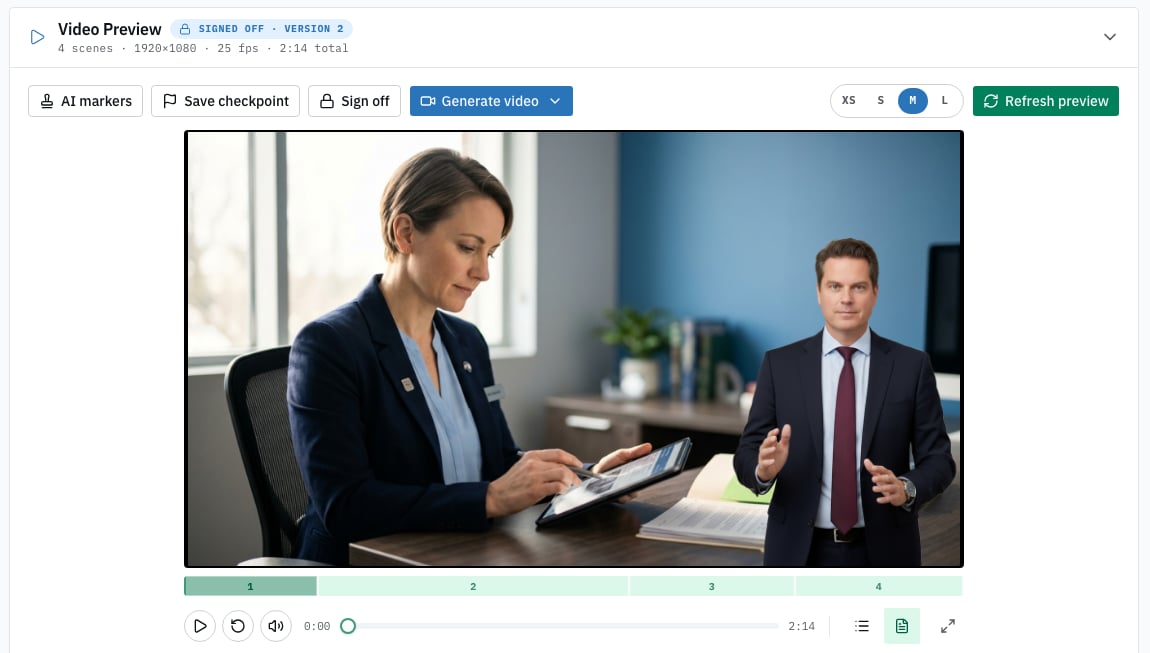
A story open for review: the preview in the middle, the actions above it, and the scene-by-scene detail below.
Next
Creating a story
The wizard, and what happens while your story is built.
The parts of a story
Scenes, narration, presenter, backgrounds and on-screen text.