> ## Documentation Index
> Fetch the complete documentation index at: https://www.latentcast.com/docs/llms.txt
> Use this file to discover all available pages before exploring further.
# Video stories and videos
> The one distinction that makes the rest of LatentCast make sense: a story is editable content, a video is the file made from it.
Two words in LatentCast look interchangeable and are not. Getting them straight takes a minute and
saves a lot of confusion later.
A video story is **content, not a file**. It is a script, a set of
scenes, a presenter, backgrounds, and text that appears on screen, all held
as data. The preview in your browser is drawn from that data as you watch. Nothing has been filmed,
so changing something is cheap.
A video is a **finished file**, made from a story when you are happy with
it, and published so anyone can watch it on a phone, a laptop or a television.
You will spend nearly all your time working on stories. A video is what you make at the end.
## Why it is built this way
Because a story is data, one story can become a thousand different videos. When you personalize, the
system does not edit a film. It takes your story, swaps in the parts that differ for one person,
and only then makes a video for them. That is why a personal video costs so little more than a
generic one, and why you can change your mind about the script the day before you send.
It also means that everything you do to a story is reversible until you render.
## Sign-off: the moment a story stops moving
While you are working, a story changes whenever you touch it. That is fine for you, and impossible
for anything downstream. If a campaign is producing five hundred videos over an afternoon and
someone edits the story halfway through, the first two hundred recipients get a different message
from the rest.
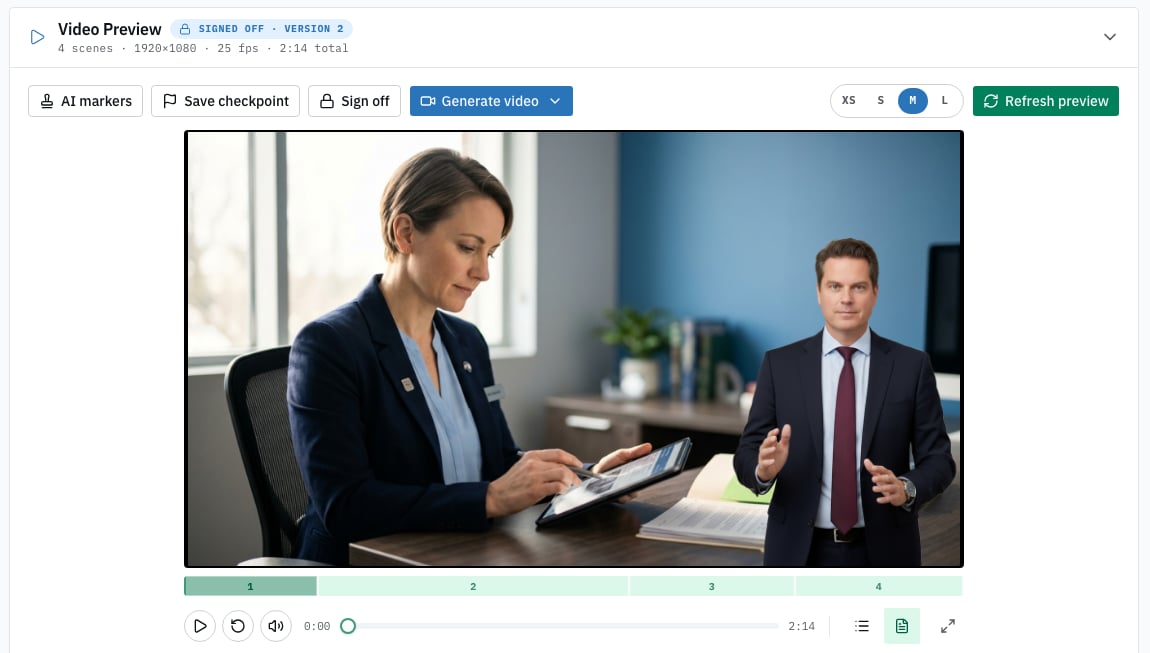
So a story has to be **signed off** before it can be personalized. Sign-off
freezes exactly what you have as a numbered version. That version never changes again.
Everything you would normally do happens before sign-off, not after: tuning the script, fixing
backgrounds, checking the presenter.
The button sits above the preview. Give the version a short label you would recognise later,
such as "shorter intro, October".
The story is frozen. It now appears in the personalization profile wizard. Stories that have not
been signed off do not appear there at all, which is the usual reason a story you just made is
missing from the list.
**You can sign off again.** Keep working on the story afterwards and press Sign off a second time
for Version 2. Both versions exist. Anything already pointing at Version 1 stays on Version 1 until
you decide to move it, which is exactly what you want when a campaign is mid-flight.
## Where your work lives
* **Video Stories ▸ Stories** — every story in your organization, including the personalized ones
produced for individual recipients. This is where you land when you log in.
* **Video Stories ▸ Videos** — the files you have rendered, ready to watch and share.
 ## Next
The wizard, and what happens while your story is built.
Scenes, narration, presenter, backgrounds and on-screen text.
## Next
The wizard, and what happens while your story is built.
Scenes, narration, presenter, backgrounds and on-screen text.