> ## Documentation Index
> Fetch the complete documentation index at: https://www.latentcast.com/docs/llms.txt
> Use this file to discover all available pages before exploring further.
# Set personalization rules
> Link a Video Story to a Personalization Canvas, define how the video changes for each recipient, sign it off, and preview one video.
**Where:** Personalization ▸ Profiles
A Personalization Profile is the rule set for one outreach: which Video Story,
which Personalization Canvas, and how the video changes for each recipient. You sign it off, then
preview one real recipient's video. If the personalization did something you don't like, edit the
rules and preview again.
## Do
On **Profiles**, press **New Profile**. Step 1: choose your signed-off Video Story and your
signed-off Personalization Canvas. Only signed-off ones appear. On the right, paste a short
brief on how this outreach should feel: tone, formality, whether the presenter introduces
themself, how to address recipients. LatentCast turns it into style guidance for the
personalized parts.
Step 2: choose where the background images come from: generated under guidelines you describe
in the chat, generated as a set you pick from, or your own photography.
Step 3: pick a package and adjust its switches. This is where you decide which dimensions of
your Personalization Canvas are used and where: the personal opening, an optional context
scene, the closing, and the recipient's logo and colours. Next to every scene there is a
drop-down box where you toggle each personalization dimension on or off for that scene, so
one scene can use the triggering event while another stays exactly as in the Video Story.
Step 4 is the
Viewing Page each recipient lands on: welcome line,
call to action, logo, subtitles, with a live preview of your first recipient's page.
Step 5 recaps everything. Saving builds the cast from your
Personalization Canvas: every colleague named as a presenter joins the cast.
Press **Sign off** on the Personalization Profile. That freezes the rules, and each presenter
receives a casting request.
Each presenter opens **Proxies ▸ Casting** in their own account, binds their avatar and voice,
and presses **Grant consent**. Until they do, no recipient they present can be produced. The
profile's cast page shows who is still outstanding and lets you resend the request. Setting up
an avatar and a voice is a one-time task with its own guide.
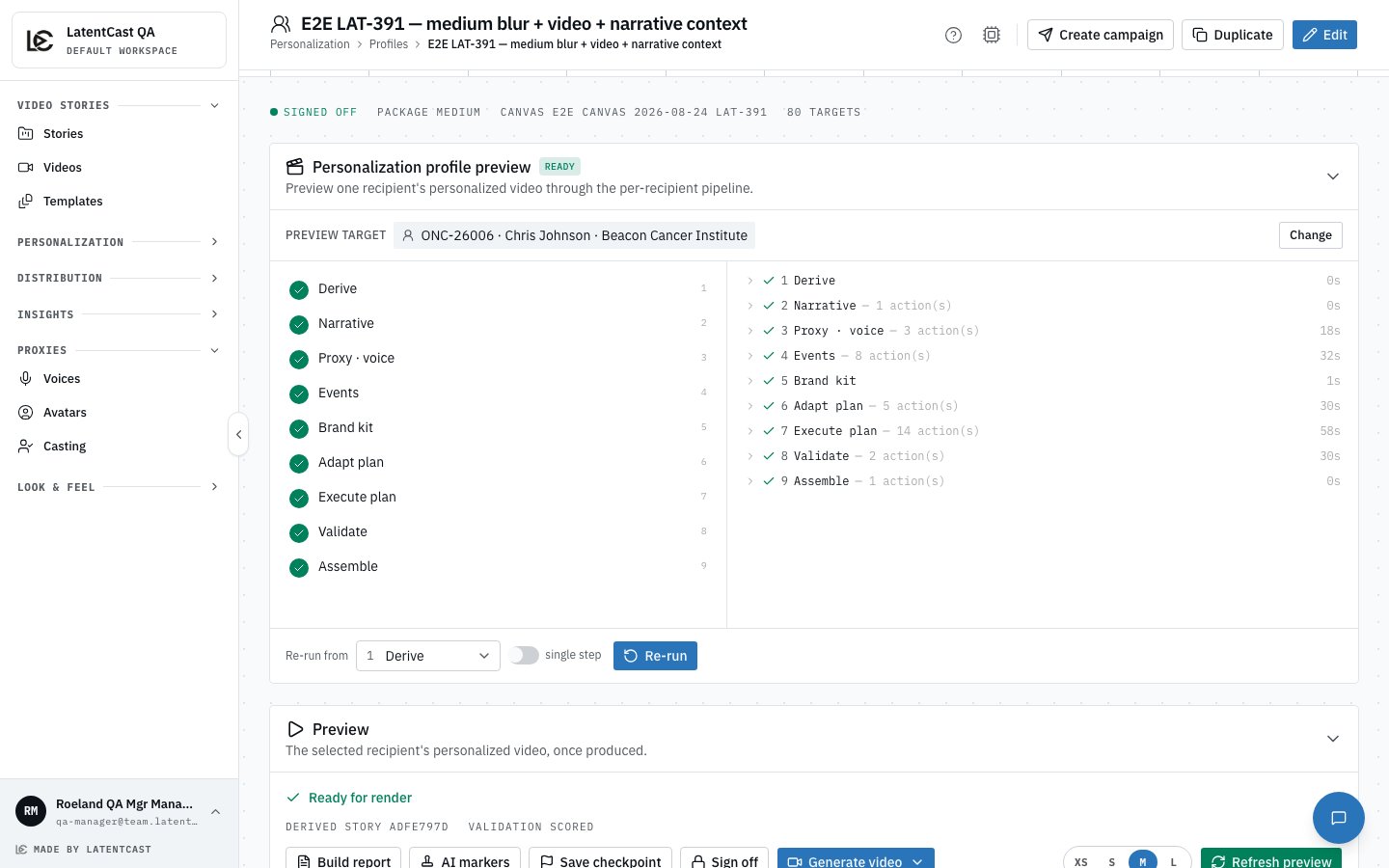
On the profile page, pick one real recipient and press **Start production**. Nine steps run,
and an activity feed says what was decided and why. Then the
preview plays that recipient's video.
Is everything it says about them true? Does it sound like a person wrote it? Would you send
it? If not, edit the rules or fix the Personalization Canvas and preview again. If yes, you
are ready to produce at scale.
 ## Watch out
**No consent, no video.** A recipient whose presenter has not consented cannot be produced. The cast
page is where you see who is holding things up.
**Finetuning here changes one recipient's video only.** The Tuning Chat on a previewed recipient
edits that recipient's video, never the base Video Story and never anyone else's.
Next: [Produce and send at scale](/docs/guides/first-campaign/produce-and-send) · Back:
[Define who receives it](/docs/guides/first-campaign/who-gets-it)
## Watch out
**No consent, no video.** A recipient whose presenter has not consented cannot be produced. The cast
page is where you see who is holding things up.
**Finetuning here changes one recipient's video only.** The Tuning Chat on a previewed recipient
edits that recipient's video, never the base Video Story and never anyone else's.
Next: [Produce and send at scale](/docs/guides/first-campaign/produce-and-send) · Back:
[Define who receives it](/docs/guides/first-campaign/who-gets-it)